
Kia Rio: Roof Trim / Sunvisor
Components and components location
| Component Location |
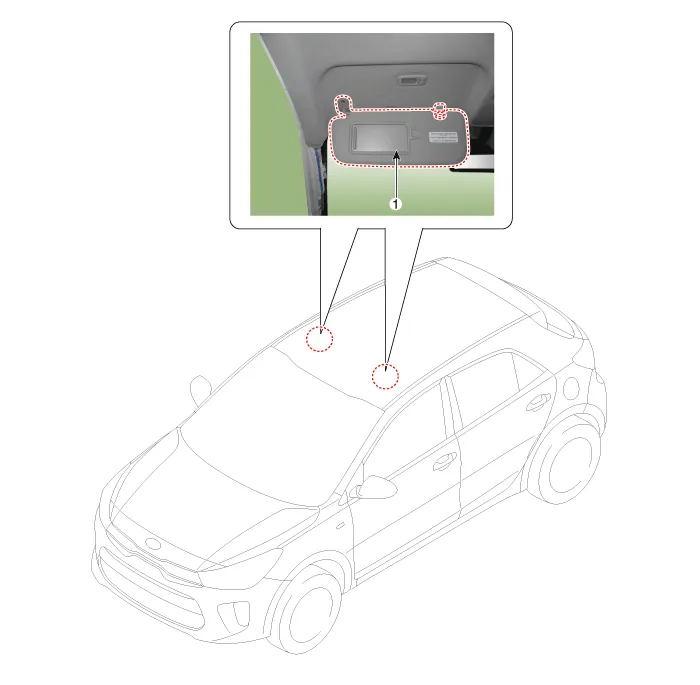
| 1. Sunvisor |
2. Retainer |
Repair procedures
| Replacement |
Put on gloves to protect your hands. |

|

| 1. |
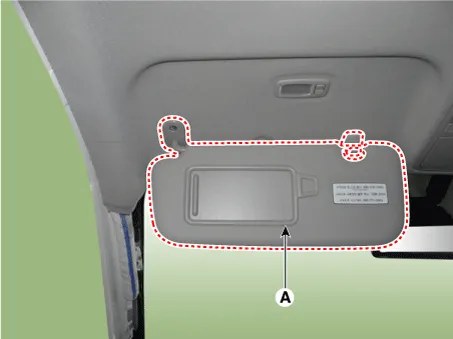
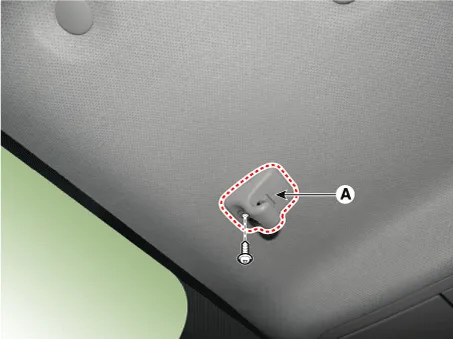
Remove the sunvisor (A) and retainer (B) after loosening the screws.
|
| 2. |
Install in the reverse order of removal.
|
Components and components location Components (1) [Normal] 1. Sunvisor assembly [LH] 2. Sunvisor assembly [RH] 3.
Components and components location Component Location 1. Assist handle Repair procedures Replacement Put on gloves to protect your hands.
Other information:
Kia Rio 2017-2023 YB Service Manual: Rear Glass Defogger Switch
Repair procedures Inspection 1. In the body electrical system, failure can be quickly diagnosed by using the vehicle diagnostic system (KDS/GDS). The diagnostic system (KDS/GDS) provides the following information. (1) Self diagnosis : Checking failure and code number (DTC)
Kia Rio 2017-2023 YB Service Manual: Rain Sensor
Components and components location Components Schematic diagrams Circuit Diagram Description and operation Description Integrated Rain Sensor Integrated rain sensor (A) controls three systems: front wiper, auto-light, and central air conditioner.
Categories
- Manuals Home
- Kia Rio Owners Manual
- Kia Rio Service Manual
- Filler-Neck Assembly
- Maintenance Schedule
- Engine Electrical System
- New on site
- Most important about car
