
Kia Rio: Hood / Hood Latch
Components and components location
| Component Location |
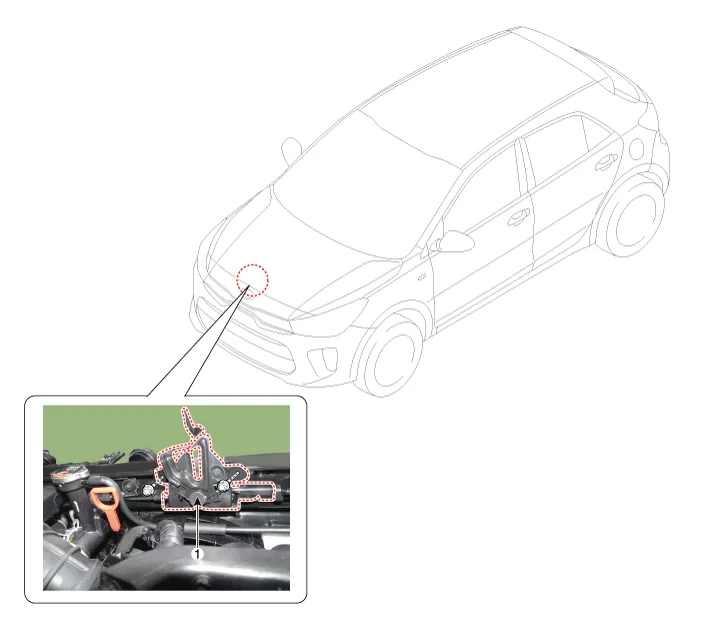
| 1. Hood lower latch assembly
|
Repair procedures
| Replacement |
| 1. |
Remove the front bumper cover. (Refer to Front Bumper - "Front Bumper Assembly") |
| 2. |
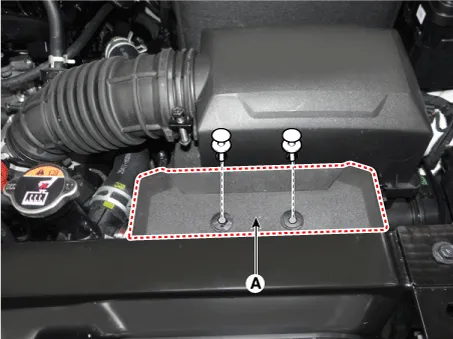
Remove the air duct (A).
|
| 3. |
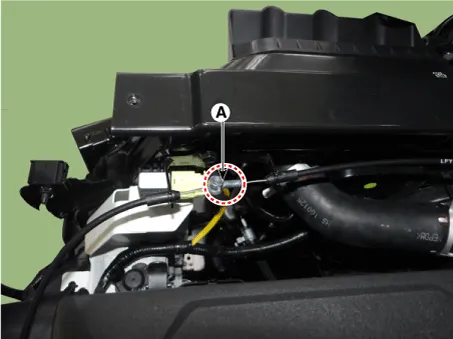
Disconnect the hood latch cable (A).
|
| 4. |
Disconnect the hood latch connector (A).
|
| 5. |
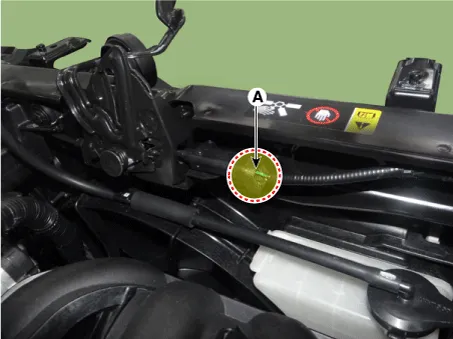
Remove the hood lower latch assembly (A) after loosening the bolts.
|
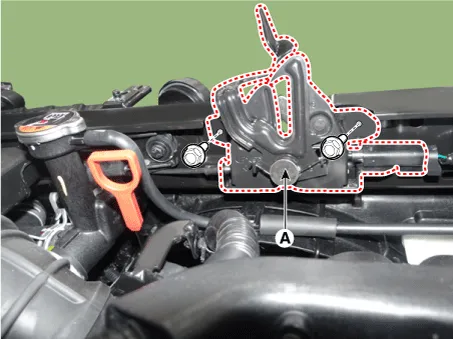
| 6. |
Install in the reverse order of removal.
|

Components and components location Component Location 1. Hood latch release handle Repair procedures Replacement • Put on gloves to protect your hands.
Components and components location Components 1. Front pillar trim assembly 2. Front door scuff trim assembly 3. Center pillar upper trim assembly 4.
Other information:
Kia Rio 2017-2023 YB Service Manual: Power Window Motor
Components and components location Components [Standard window motor] [Safety window motor] Repair procedures Inspection • When removing with a flat-tip screwdriver or remover, wrap protective
Kia Rio 2017-2023 YB Service Manual: Air Conditioning System
General safety information and caution Instructions When Handling Refrigerant 1. R-134a liquid refrigerant is highly volatile. A drop on the skin of your hand could result in localized frostbite. When handling the refrigerant, be sure to wear gloves.
Categories
- Manuals Home
- Kia Rio Owners Manual
- Kia Rio Service Manual
- Maintenance
- Heating,Ventilation, Air Conditioning
- Fuse/relay panel description
- New on site
- Most important about car
