
Kia Rio: Manual Transaxle Control System / Shift Lever
Components and components location
| Components |
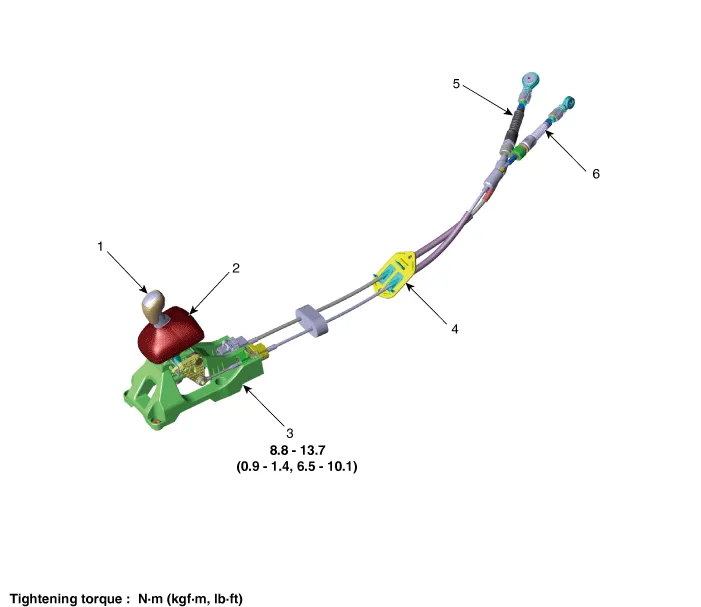
|
1. Knob 2. boots 3. Shift lever assembly |
4. Retainer 5. Shift cable 6. Select cable |
Repair procedures
| Removal |
| 1. |
Remove the knob by pulling it in the direction of upward after removing the boots from the console upper cover. |
| 2. |
Remove the floor console assembly. (Refer to Body - "Floor Console Assembly") |
| 3. |
Remove the snap pin (A) and then remove the select cable from the shift lever pin.
|

| 4. |
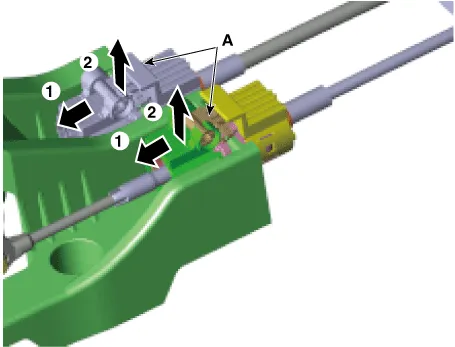
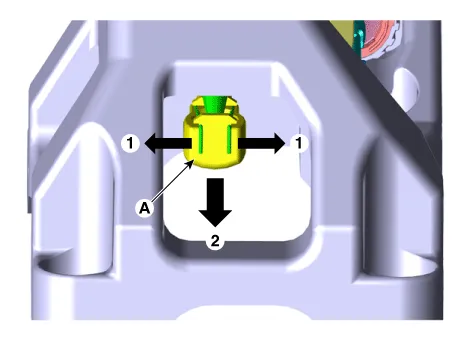
Remove the cable sockets (A) from the shift lever.
|
| 5. |
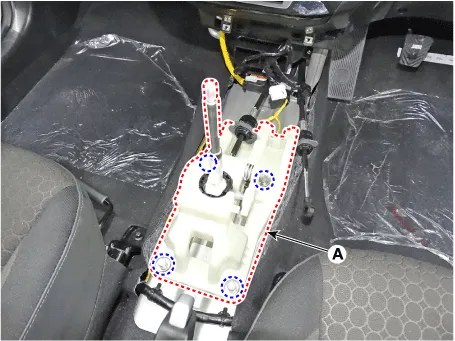
Loosen the shift lever mounting bolts (A).
|
| 6. |
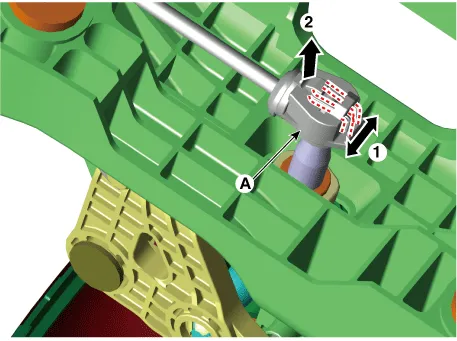
Remove the shift cable (A) from the shift lever. [A Type]
[B Type]
|
| Installation |
| 1. |
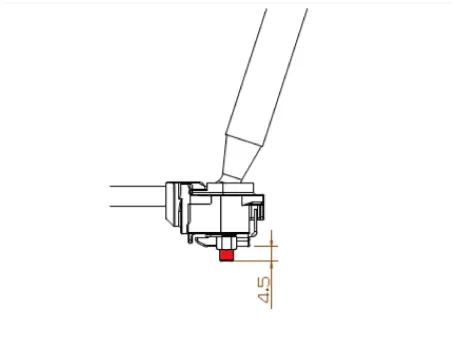
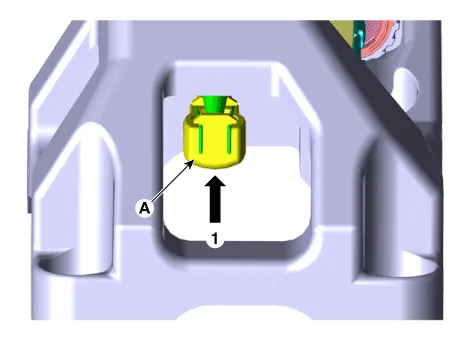
Install in the reverse order of removal.
|


| Inspection |
| 1. |
Check for proper operation of control shaft lever when operated (1st, 2nd, 3rd, 4th, 5th, 6th, R gear). |
| 2. |
When the shift lever is engaged to "R", check that the skirt is in proper position. |
| 3. |
If the gear feels stiff, adjust the control cable length again. (Refer to Control Cable - "Installation") |
Components and components location Components Location 1. Control shaft complete Repair procedures Removal 1. Shift the gear to "neutral".
Components and components location Components 1. Knob 2. boots 3. Shift lever assembly 4. Retainer 5.
Other information:
Kia Rio 2017-2023 YB Service Manual: Power Window Switch
Components and components location Components Driver Power Window Switch Connector Pin Information [Front / Rear Driver Safety - Auto Up/Down] [LHD] No. Description No. Description 1 Front right power window (Up) 10
Kia Rio 2017-2023 YB Service Manual: Auto Defogging Sensor (FATC only)
Description and operation Description The Auto Defogging Sensor is installed on front windshild glass. The Auto Defogging Sensor senses moisture on the windshild. The air conditioner control module receives the signal from the sensor and eliminate the fog by controlling the intake actuator, A/C, auto defogging actuator, blower m
Categories
- Manuals Home
- Kia Rio Owners Manual
- Kia Rio Service Manual
- Clutch System
- Timing Chain
- Brake System
- New on site
- Most important about car
