
Kia Rio: Interior Trim / Rear Wheel House Trim
Components and components location
| Component Location |
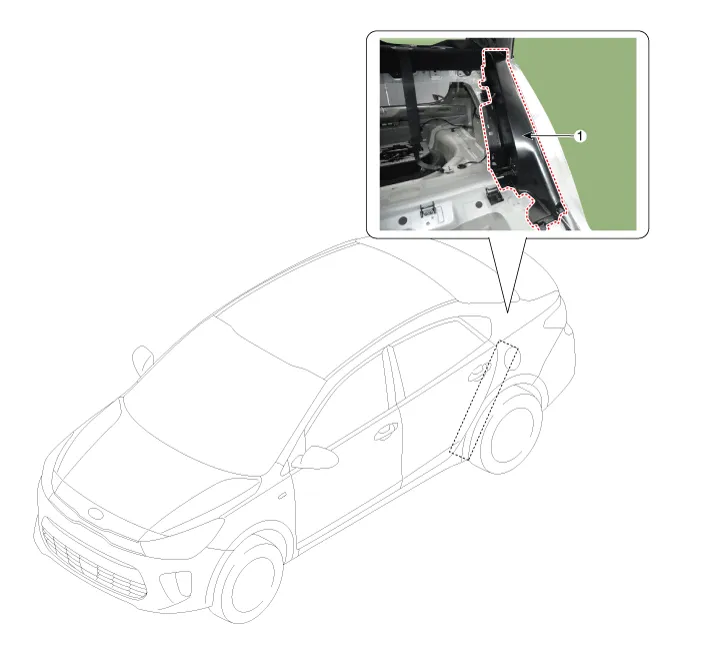
| 1. Rear wheel house trim |
Repair procedures
| Replacement |
Put on gloves to protect your hands. |

|

| 1. |
Remove the rear seat assembly. (Refer to Rear Seat - "Rear Seat Assembly") |
| 2. |
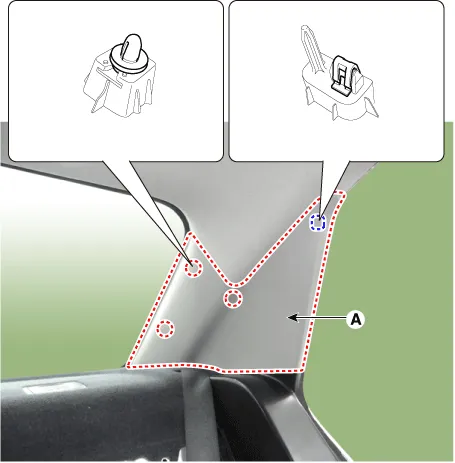
Remove the rear pillar trim (A) by using a remover.
|
| 3. |
Remove the rear door scuff trim.
|
| 4. |
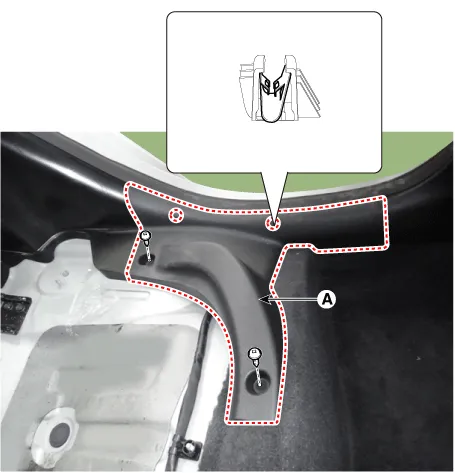
Remove the rear partition trim (A) after looseing the mountin screw.
|
| 5. |
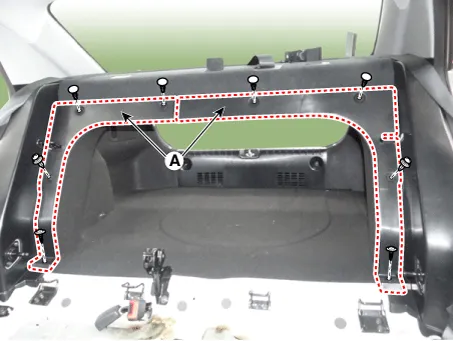
Remove the rear wheel house trim (A) after looseing the mountin screw.
|
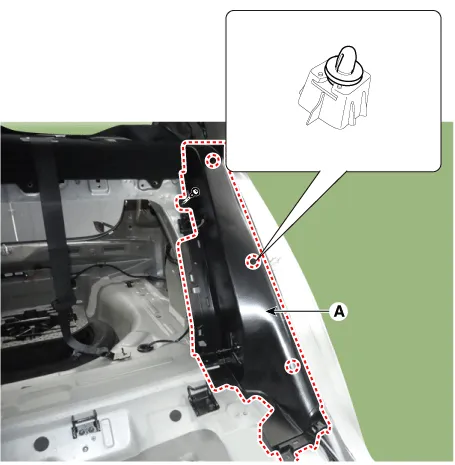
| 6. |
Install in the reverse order of removal.
|
Components and components location Component Location [5 Door] 1. Rear pillar trim [4 Door] 1.
Components and components location Component Location 1. Package tray trim Repair procedures Replacement Put on gloves to protect your hands.
Other information:
Kia Rio 2017-2023 YB Service Manual: Rear Combination Lamp
Repair procedures Removal Rear Combination Lamp (Outside) 1. Disconnect the negative (-) battery terminal. 2. Remove the rear combination lamp (A) after loosening the mounting screws. 3.
Kia Rio 2017-2023 YB Service Manual: Cluster Ionizer (FATC only)
Description and operation Description The cluster ionizer helps to clean up odors in the vehicle or from the air-conditioner system. When the ignition switch ON, the inoizer runs a "CLEAN" mode and then a "ION" mode, switching every about 15 minutes.
Categories
- Manuals Home
- Kia Rio Owners Manual
- Kia Rio Service Manual
- CVVT & Camshaft
- Heating,Ventilation, Air Conditioning
- Engine Oil and Filter
- New on site
- Most important about car
