
Kia Rio: ear Bumper / Rear Bumper Assembly
Components and components location
| Component Location |
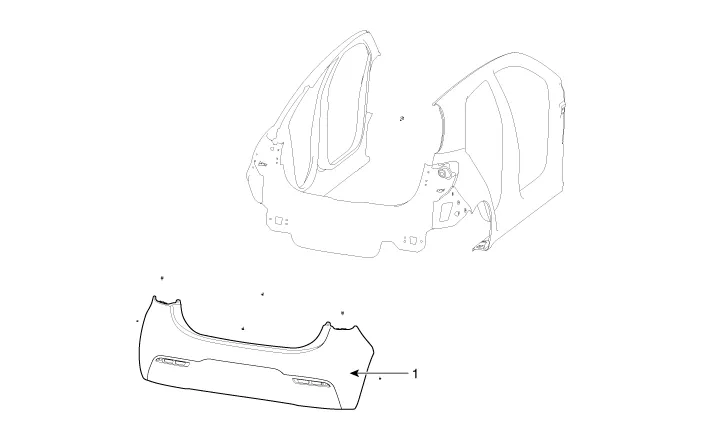
| 1. Rear bumper cover |
Repair procedures
| Replacement |
Put on gloves to protect your hands. |

|

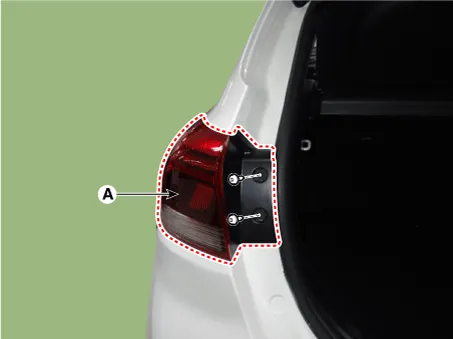
| 1. |
Separate the rear combination lamp (A) after loosening the mounting screws.
|
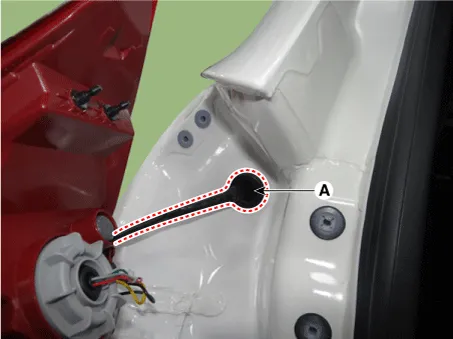
| 2. |
Disconnect the watherproof seal (A).
|
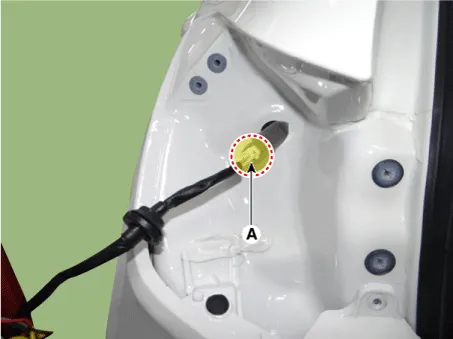
| 3. |
Disconnect the rear combination lamp connector (A).
|
| 4. |
Loosen the rear bumper upper mounting fastener.
|
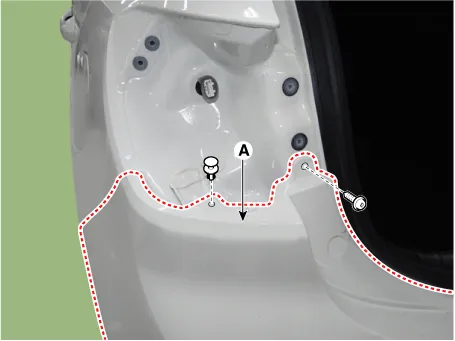
| 5. |
Remove the rear bumper side under cover after loosening the mounting nuts and clips.
|
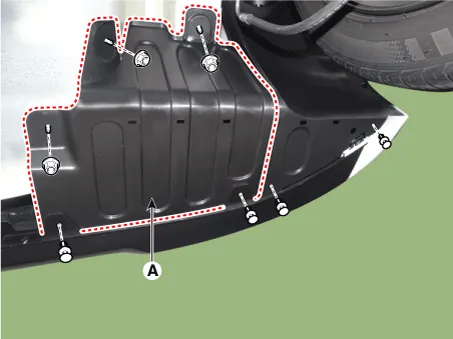
| 6. |
Remove the rear bumper side after loosening the mounting screws.
|
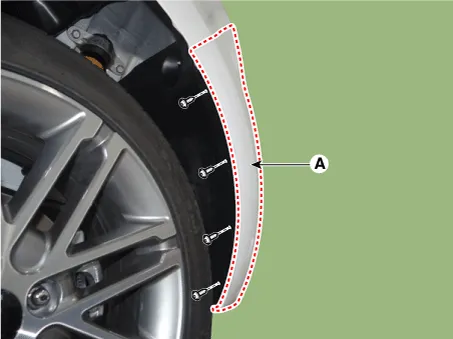
| 7. |
Detach the rubber hangers (A) from the muffler (B).
|
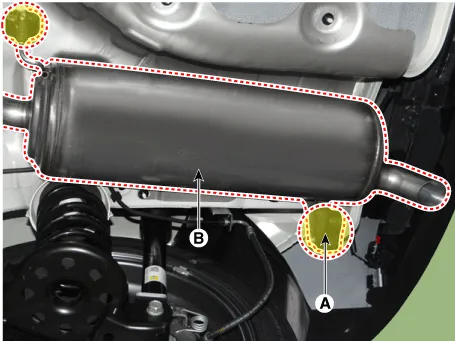
| 8. |
Loosen the mounting bolts. [LH]
[RH]
|
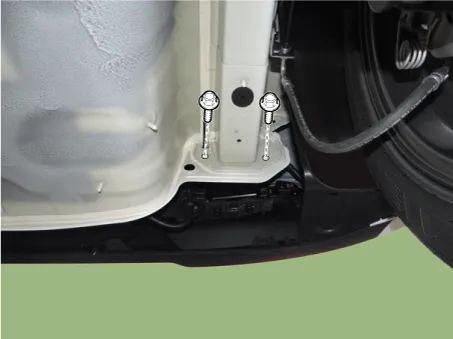
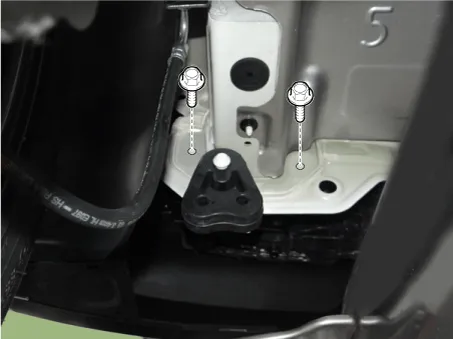
| 9. |
Remove the rear bumper after disconnecting the rear bumper wiring connector (A).
|
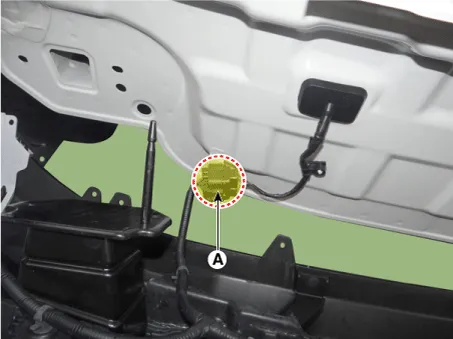
| 10. |
Install in the reverse order of removal.
|
Components and components location Components 1. Rear bumper cover assembly 2. Rear bumper side bracket assembly [RH] 3.
Components and components location Component Location 1. Rear bumper beam assembly Repair procedures Replacement Put on gloves to protect your hands.
Other information:
Kia Rio 2017-2023 YB Service Manual: Rear Combination Lamp
Repair procedures Removal Rear Combination Lamp (Outside) 1. Disconnect the negative (-) battery terminal. 2. Remove the rear combination lamp (A) after loosening the mounting screws. 3.
Kia Rio 2017-2023 YB Service Manual: Windshield Wiper-Washer Switch
Repair procedures Removal [BCM Type] 1. Disconnect the negative (-) battery terminal. 2. Remove the steering wheel. (Refer to Steering System - "Steering Wheel") 3.
Categories
- Manuals Home
- Kia Rio Owners Manual
- Kia Rio Service Manual
- Body Electrical System
- Filler-Neck Assembly
- Restraint
- New on site
- Most important about car
