
Kia Rio: Hood / Hood Latch
Components and components location
| Component Location |
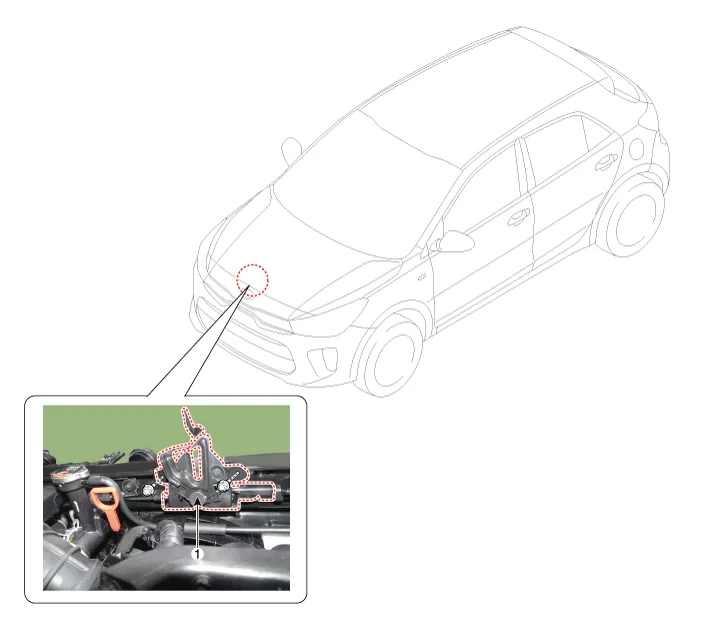
| 1. Hood lower latch assembly
|
Repair procedures
| Replacement |
| 1. |
Remove the front bumper cover. (Refer to Front Bumper - "Front Bumper Assembly") |
| 2. |
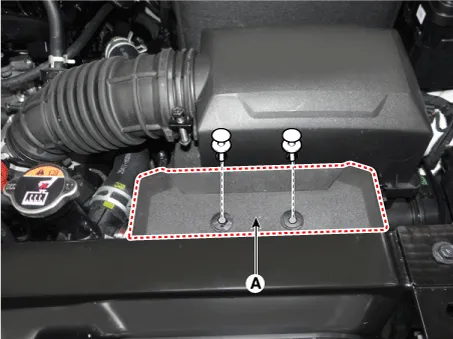
Remove the air duct (A).
|
| 3. |
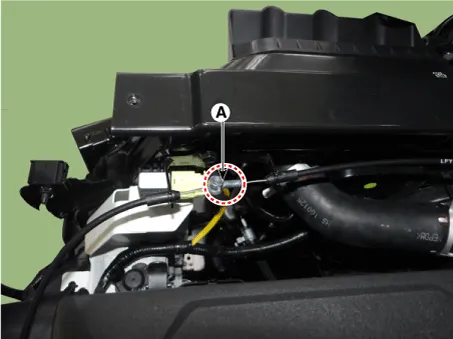
Disconnect the hood latch cable (A).
|
| 4. |
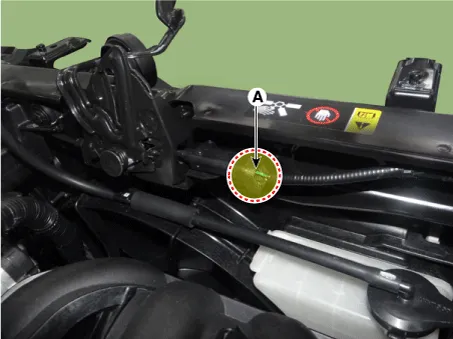
Disconnect the hood latch connector (A).
|
| 5. |
Remove the hood lower latch assembly (A) after loosening the bolts.
|
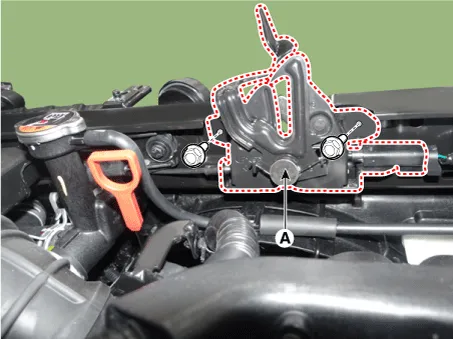
| 6. |
Install in the reverse order of removal.
|

Components and components location Component Location 1. Hood latch release handle Repair procedures Replacement • Put on gloves to protect your hands.
Components and components location Components 1. Front pillar trim assembly 2. Front door scuff trim assembly 3. Center pillar upper trim assembly 4.
Other information:
Kia Rio 2017-2023 YB Service Manual: Mode Control Actuator
Description and operation Description The mode control actuator is located at the heater unit. It adjusts position of mode door by operating mode control actuator based on signal of A/C control unit. Pressing mode select switch makes the mode control actuator shift in order of Vent → Bi-Level → Floor → Mix.
Kia Rio 2017-2023 YB Service Manual: Climate Control Air Filtar
Description and operation Description The climate control air filter is located in the bower unit. It eliminates foreign materials and odor. The particle filter performs a role as an odor filter as well as a conventional dust filter to ensure comfortable interior environment.
Categories
- Manuals Home
- Kia Rio Owners Manual
- Kia Rio Service Manual
- Steering System
- Body (Interior and Exterior)
- Suspension System
- New on site
- Most important about car
