
Kia Rio: Audio / Roof Antenna
Components and components location
| Components |
| [Roof Antenna (Radio)] |
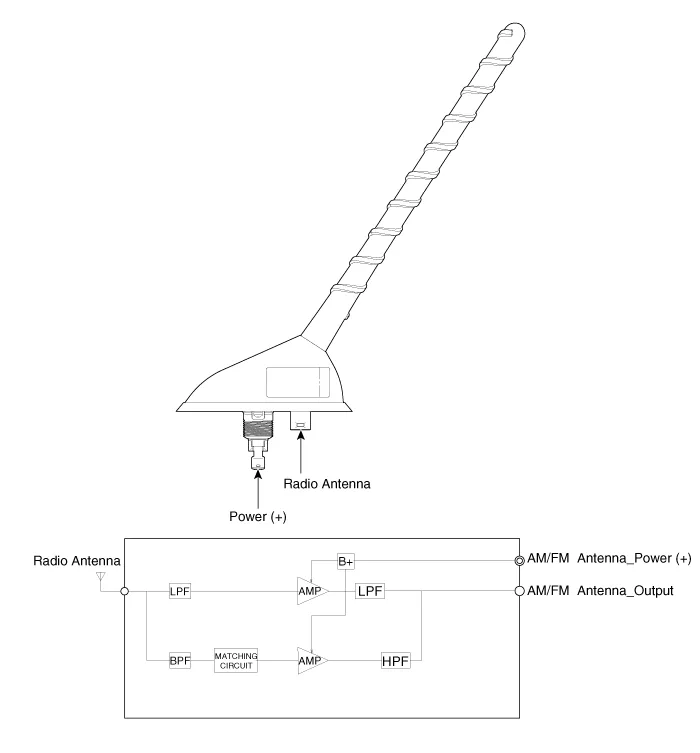
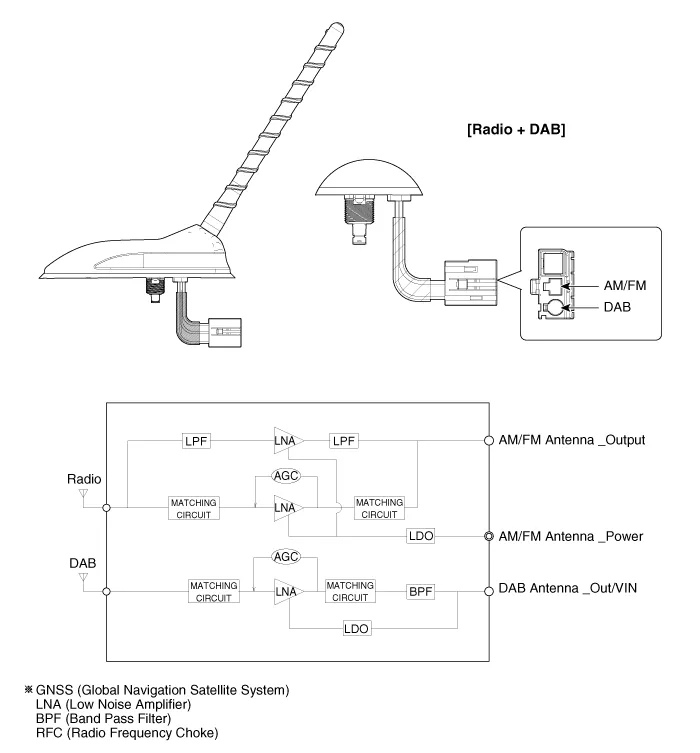
| [Roof Antenna (Radio + DAB)] |
Repair procedures
| Removal |
Roof antenna
| 1. |
Disconnect the negative (-) battery terminal. |
| 2. |
Remove the roof trim assembly. (Refer to Body - "Roof Trim Assembly") |
| 3. |
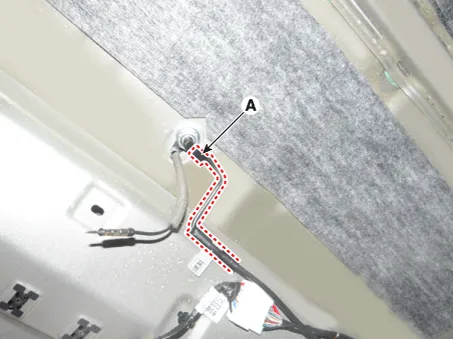
Disconnect the roof antenna power connector (A).
|
| 4. |
Remove the roof antenna (B) after loosening a nut (A).
|


| Installation |
Roof anenna
| 1. |
Install the roof antenna. |
| 2. |
Connect the roof antenna power connector and radio antenna connectors. |
| 3. |
Install the roof trim assembly. |
| 4. |
Connect the negative (-) battery terminal.
|

| Inspection |
Antenna Cable
| 1. |
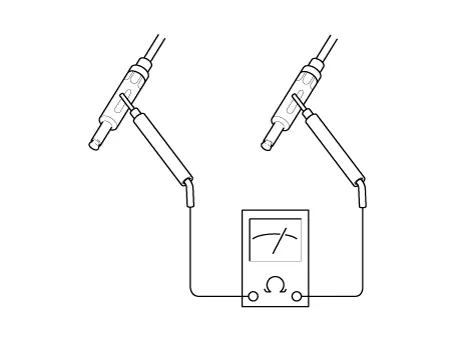
Check for continuity between the center poles of antenna cable.
|

| 2. |
Check for continuity between the outer poles of antenna cable. There should be continuity.
|
| 3. |
If there is no continuity, replace the antenna cable. |
| 4. |
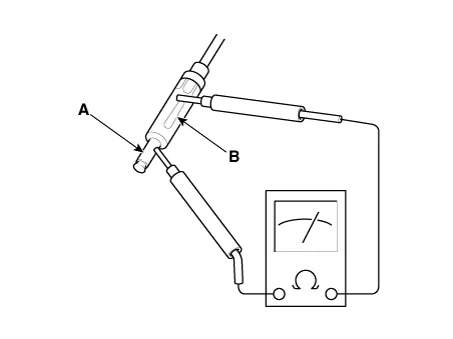
Check for continuity between the center pole (A) and outer pole (B) of antenna cable. There should be no continuity.
|
| 5. |
If there is continuity, replace the antenna cable. |
Repair procedures Inspection Troubleshooting of the speakers When handling the speakers : • Do not cause shock to the speakers by dropping or throwing them.
Components and components location Components 1. Left Remote Control Switch (Audio + Hands free + Voice) 2. Right Remote Control Switch (Cruise+Trip Computer) Schematic diagrams Circuit Diagram [Audio] [Audio + Bluetooth] [Audio + Bluetooth + Voice] [Trip] [Trip + ACC (2 Button)] [Trip + ACC + SLD (2 Button)] [Trip + ACC (4 Button)] [Trip + ACC + SLD (4 Button)] Repair procedures Removal 1.
Other information:
Kia Rio 2017-2023 YB Service Manual: Power Window Motor
Components and components location Components [Standard window motor] [Safety window motor] Repair procedures Inspection • When removing with a flat-tip screwdriver or remover, wrap protective
Kia Rio 2017-2023 YB Service Manual: Heater & A/C Control Unit (MANUAL)
Components and components location Components Connector pin function NO. Connector A Connector B 1 Low Battery 2 Common ISG Battery 3 High Illumination (+)
Categories
- Manuals Home
- Kia Rio Owners Manual
- Kia Rio Service Manual
- Filler-Neck Assembly
- Engine Mechanical System
- Timing Chain
- New on site
- Most important about car
