
Kia Rio: Crash Pad / Glove Box Housing
Components and components location
| Component Location |
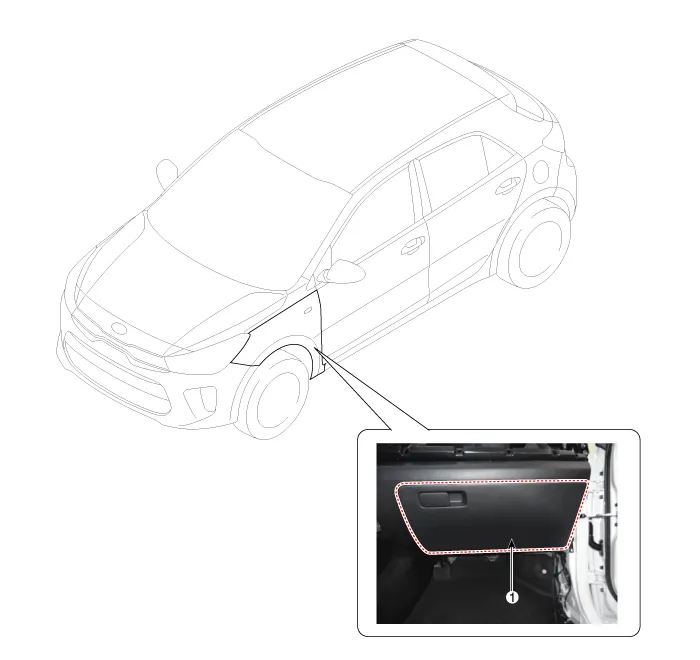
| 1. Glove box housing assembly
|
Repair procedures
| Replacement |
Put on gloves to protect your hands. |

|

| 1. |
Disconnect the stopper (B) from the glove box (A).
|
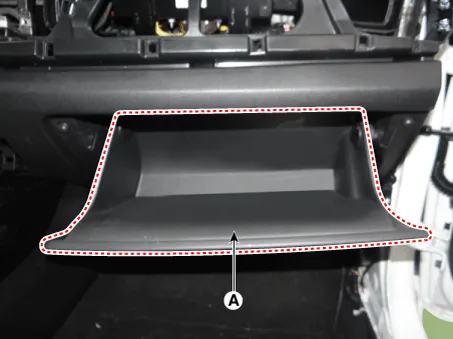
| 2. |
Disconnect the air damper (A) from the glove box.
|
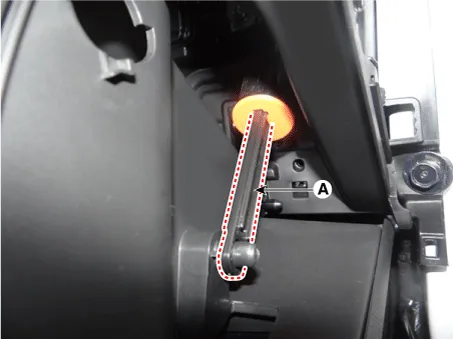
| 3. |
Disconnect the pins (A) and then remove the glove box (B).
|
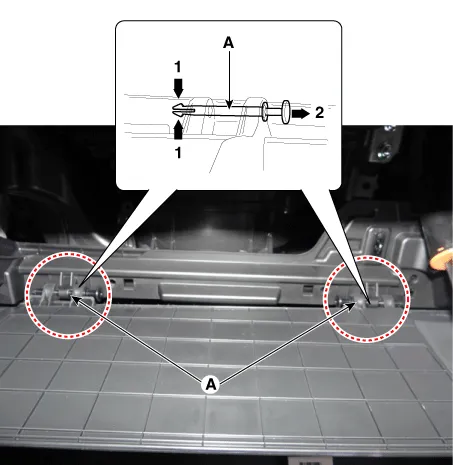
| 4. |
Install in the reverse order of removal.
|
Components and components location Component Location 1. Crash pad lower panel Repair procedures Replacement Put on gloves to protect your hands.
Components and components location Component Location 1. Steering column shroud lower panel 2. Steering column shroud upper panel Repair procedures Replacement [Steering column shroud upper panel] Put on gloves to protect your hands.
Other information:
Kia Rio 2017-2023 YB Service Manual: Power Door Lock Module
Components and components location Components 1. Door lock/unlock knob cable 2. Door latch assembly Repair procedures Inspection • When removing with a flat-tip screwdriver or remover, wrap
Kia Rio 2017-2023 YB Service Manual: Power Mosfet (FATC)
Repair procedures Inspection 1. Turn the ignition switch ON. 2. Manually operate the control switch and measure the voltage of blower motor. 3. Select the control switch to raise voltage until high speed.
Categories
- Manuals Home
- Kia Rio Owners Manual
- Kia Rio Service Manual
- Timing Chain
- Engine Oil and Filter
- Clutch System
- New on site
- Most important about car
