
Kia Rio: Crash Pad / Crash Pad Garnish [RH]
Components and components location
| Component Location |
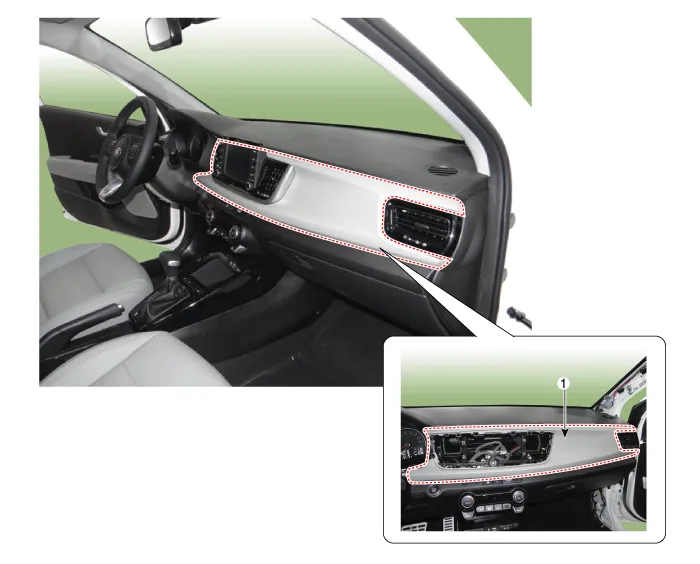
| 1. Crash pad passenger side panel
assembly |
Repair procedures
| Replacement |
Put on gloves to protect your hands. |

|

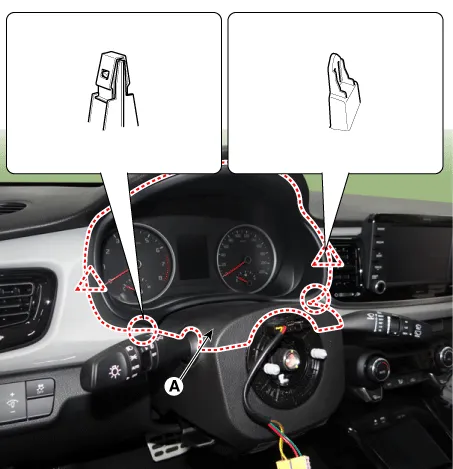
| 1. |
Remove the cluster fascia panel (A) by using a remover.
|
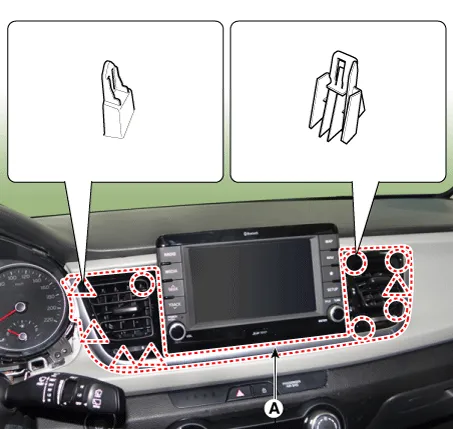
| 2. |
Remove the center fascia panel (A) by using a remover.
|
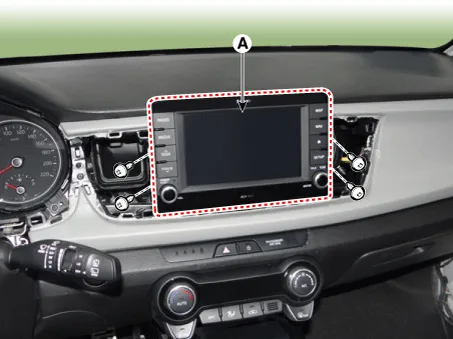
| 3. |
Remove the audio (A) after loosening the mounting screws.
|
| 4. |
Remove the crash pad side cover [RH] (A) by using a remover.
|
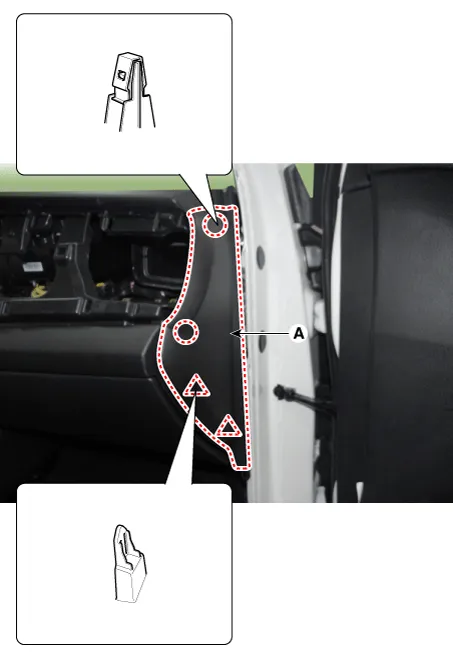
| 5. |
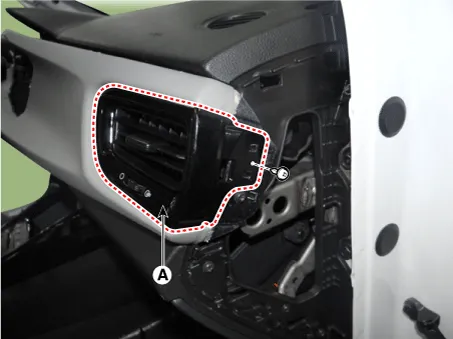
Remove the side air vent duct [RH] (A) after loosening the mounting screws.
|
| 6. |
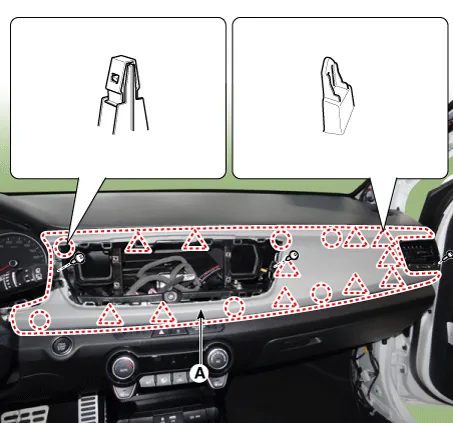
Remove the crash pad passenger side panel (A) after loosening the mounting screws.
|
| 7. |
Install in the reverse order of removal.
|
Components and components location Component Location 1. Center fascia panel assembly Repair procedures Replacement Put on gloves to protect your hands.
Components and components location Component Location 1. Crash pad lower panel Repair procedures Replacement Put on gloves to protect your hands.
Other information:
Kia Rio 2017-2023 YB Service Manual: Power Door Mirrors
C
Kia Rio 2017-2023 YB Service Manual: Smart Key System
Specifications Specifications Smart Key Unit Items Specification Rated voltage DC 12 V Operating voltage DC 9 - 16 V Operating temperature -31 - 167°F (-35 - 75°C) Load Max.
Categories
- Manuals Home
- Kia Rio Owners Manual
- Kia Rio Service Manual
- Maintenance
- Cooling System
- Motor Driven Power Steering
- New on site
- Most important about car
