
Kia Rio: Rear Door / Rear Door Trim
Components and components location
| Component Location |
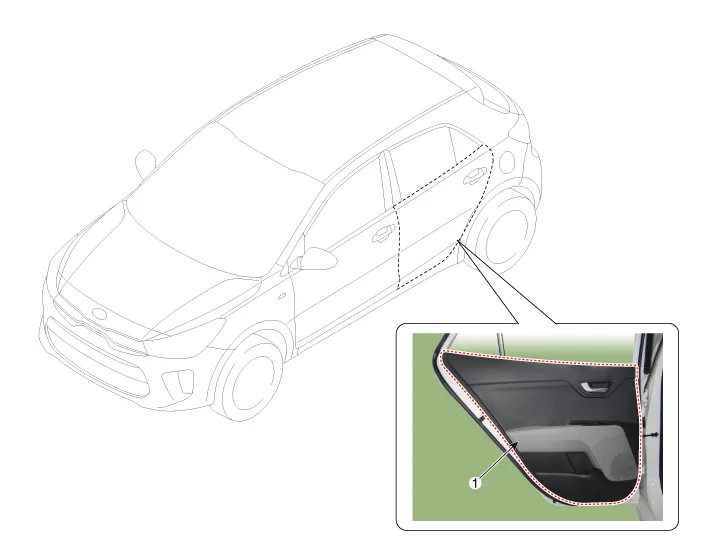
| 1. Rear door trim |
Repair procedures
| Replacement |
Put on gloves to protect your hands. |

|

| 1. |
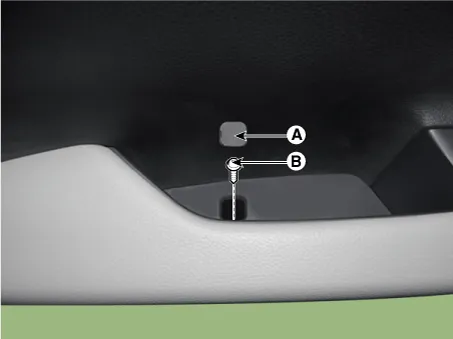
Remove the cap (A) and then loosen the screw (B).
|
| 2. |
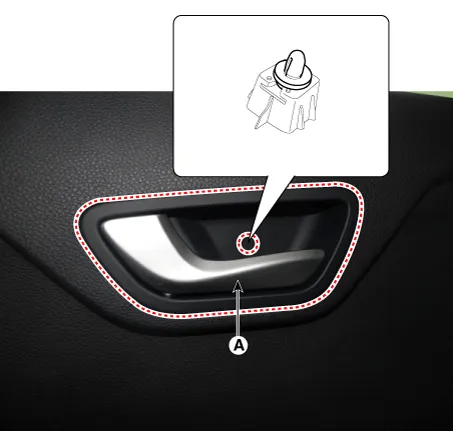
Remove the rear door inside handle cap (A).
|
| 3. |
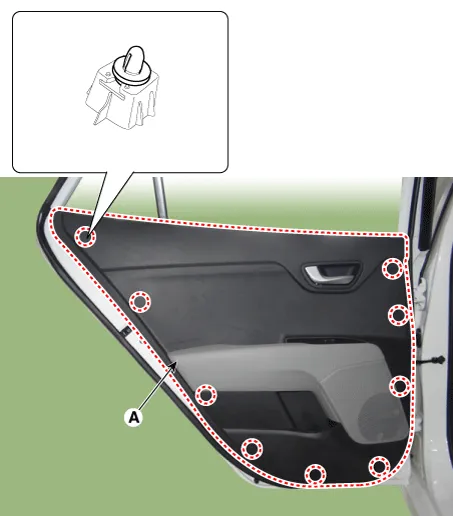
Remove the rear door trim (A).
|
| 4. |
Disconnect the power window switch connector (A).
|
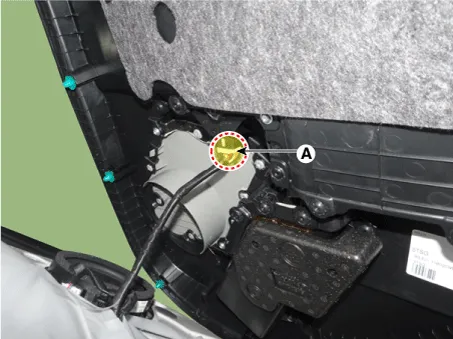
| 5. |
Install in the reverse order of removal.
|
Components and components location Components 1. Rear door trim complete 2. Rear door complete 3. Rear door belt inside weatherstrip 4.
Repair procedures Replacement Put on gloves to protect your hands. • Use a plastic panel removal tool to remove interior trim pieces without marring the surface.
Categories
- Manuals Home
- Kia Rio Owners Manual
- Kia Rio Service Manual
- Engine Mechanical System
- Heating,Ventilation, Air Conditioning
- Engine Oil and Filter
- New on site
- Most important about car
